Sentinel-2 (via pysentinel2)
Sentinel-2 lives in its own package now:
pysentinel2, a
machine-wide self-filling datacube. PaddockTS consumes it directly:
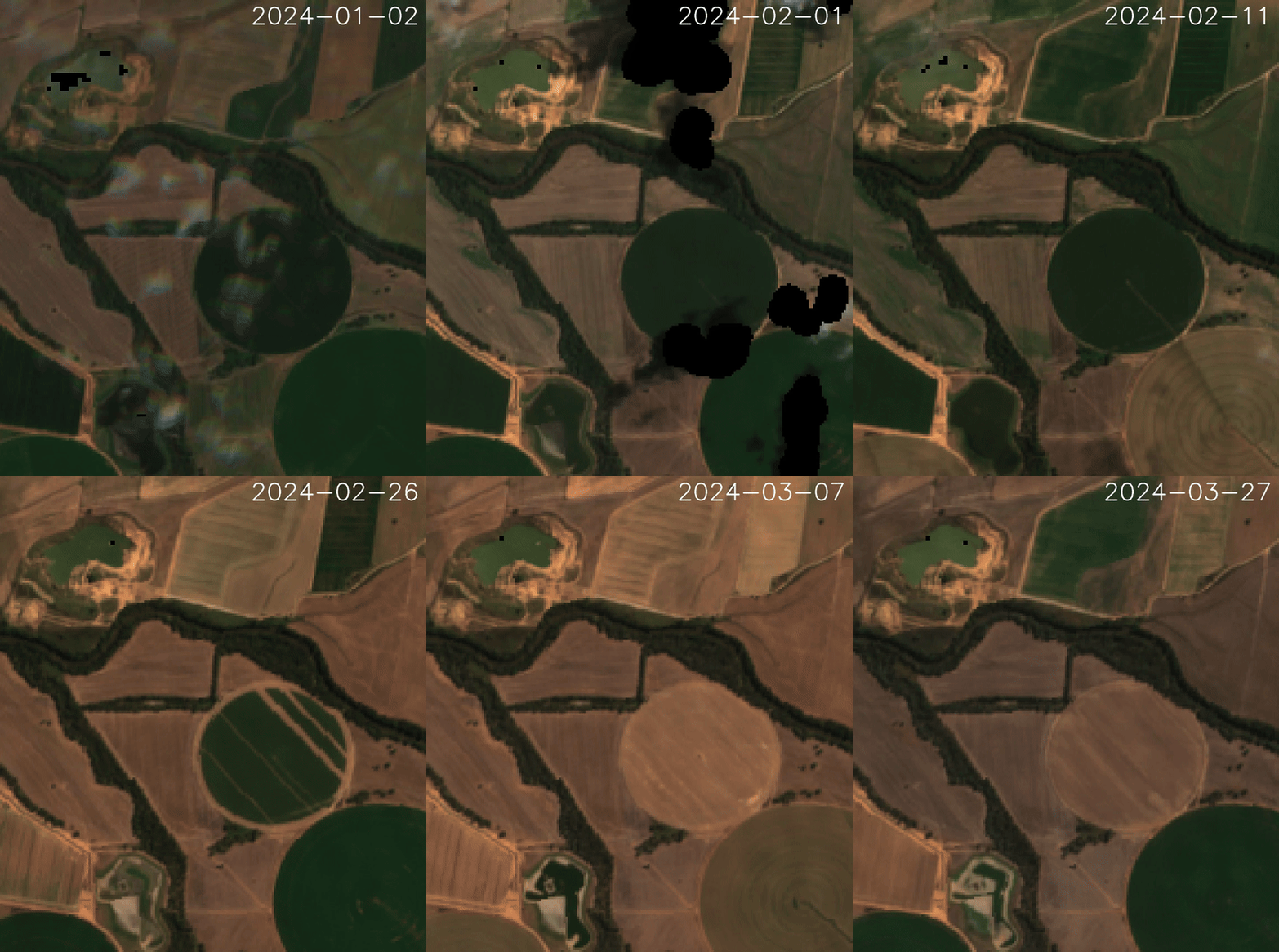
Cube.get_ds_troi(troi)— the raw ARD window (including the fmask quality band), downloading only the (day × chunk) cells no previous troi has fetched. The default source is Geoscience Australia's Digital Earth Australia ARD collection (ga_s2am_ard_3/ga_s2bm_ard_3).Cube.get_ds_troi(troi, clean=True)— the cloud-masked window, computed on read (never stored): dilated cloud/shadow/snow masking plus two frame gates,max_cloud_fraction(contamination over valid pixels) andmin_valid_fraction(swath coverage).Cube.get_ds_troi(troi, indices=('NDVI', ...))— spectral indices as on-read derivatives (impliesclean=True).
What you get
The returned xarray.Dataset is keyed on (time, y, x) with the
following data variables (raw cube):
nbart_blue        nbart_red_edge_1    nbart_swir_2
nbart_green       nbart_red_edge_2    nbart_swir_3
nbart_red         nbart_red_edge_3    oa_fmask        ← dropped by clean
                  nbart_nir_1
                  nbart_nir_2
Values are 16-bit DN (digital numbers, scale ~ 0–10000). Convert to
reflectance with * 0.0001. The dataset carries a spatial_ref
coordinate so ds.rio.crs is populated after xr.open_zarr(...,
decode_coords='all').
Example: raw download
from datetime import date
from troi.troi import Troi
from pysentinel2.cube import Cube

q = Troi(
    bbox=[148.36265, -33.52606, 148.38265, -33.50606],
    start=date(2024, 1, 1),
    end=date(2024, 3, 31),
    stub="s2_demo",
)

ds = Cube(config=q.config).get_ds_troi(q)
print(ds)
# <xarray.Dataset>
# Dimensions:      (time: 19, y: 257, x: 197)
# Coordinates:
#   * y            (y) ...
#   * x            (x) ...
#   * time         (time) datetime64[ns] 2024-01-03T00:23:36 ...
#     spatial_ref  int64 0
# Data variables:
#     nbart_blue   (time, y, x) uint16 ...
#     nbart_green  (time, y, x) uint16 ...
#     ...
#     oa_fmask     (time, y, x) uint8 ...
Example: clean (mask clouds + drop bad scenes)
from pysentinel2.cube import Cube

cube = Cube(config=q.config)
ds_clean = cube.get_ds_troi(q, clean=True,
                             max_cloud_fraction=0.5,   # ≤50% contamination of valid pixels
                             min_valid_fraction=0.2)   # ≥20% of the window sensed

print("scenes after :", ds_clean.time.size)
print("fmask present:", "oa_fmask" in ds_clean.data_vars)  # False
print(ds_clean.cloud_fraction.values)   # why each surviving frame survived
Lower max_cloud_fraction to discard cloudy scenes more aggressively;
raise it to keep more time points for sparse acquisitions. A clear
frame that only partially overlaps the AOI is not penalised for its
swath margin — coverage is gated separately by min_valid_fraction.
Customising the catalog / bands
Cube accepts a Sentinel2 config object (see
pysentinel2.sentinel2.Sentinel2) controlling STAC URL, collections,
bands, CRS, resolution, cloud threshold and fmask class codes. The
default — defaultsentinel2 — targets DEA ARD, 10 m, EPSG:6933:
from pysentinel2.sentinel2 import Sentinel2
from pysentinel2.cube import Cube

custom = Sentinel2(
    bands=('oa_fmask', 'nbart_red', 'nbart_green', 'nbart_blue', 'nbart_nir_1'),
    resolution=20,
)
ds = Cube(config=q.config, sentinel2=custom).get_ds_troi(q)
Reference
Full API reference lives in the
pysentinel2
repository — see its README (Cleaning & masking, Performance) and
module docstrings (pysentinel2.cube, pysentinel2.derive).